Retrosuperfuture × defil.ai
01 / 43
Retrosuperfuture × defil.ai
Proposal · four AI use cases for RSF

See yourself in RSF — on the site, in the store, in the feed.

Four builds on one engine: a try-on that shows the shopper themselves, a customer service that gets the routine done, campaign films generated from a brief, and an in-store booth where every visitor becomes the campaign.


4 use cases inside your platform generated, not shot
Prepared for Filippo Baroli — CEO, Retrosuperfuture
The core advantage

A blank canvas — the right infrastructure from day one.

Where RSF starts
no legacy stack one desk a shop window to reinvent
An AI-native RSF
built on the right rails
AI Immersive Try-On → sales ↑
E2E AI Customer Service → costs ↓
AI Content Factory → content ↑
Be the Campaign → reach ↑
= more sales · lower costs
We built inside big companies — and know how slow they can be
Luxottica Logitech FedEx Credit Suisse HKSAR Government Here we can be FAST

No committees, no legacy: decide in a call, ship in weeks.
What we propose

Four use cases, one engine.

Use Case 01

AI Immersive Try-On

Camera, fit, then yourself — every colourway, your outfit, your place, moving.
Try-on — the camera
Try-on — another colourway
Try-on — in Piazza del Duomo
on the site · sales
Use Case 02

E2E AI Customer Service

One assistant for shoppers, opticians and distributors — the routine resolved, your colleague decides the rest.
shoppers opticians distributors one desk
at the desk · operations
Use Case 03

AI Content Factory

Films and social cuts from your brief or our ideas — approved by you.
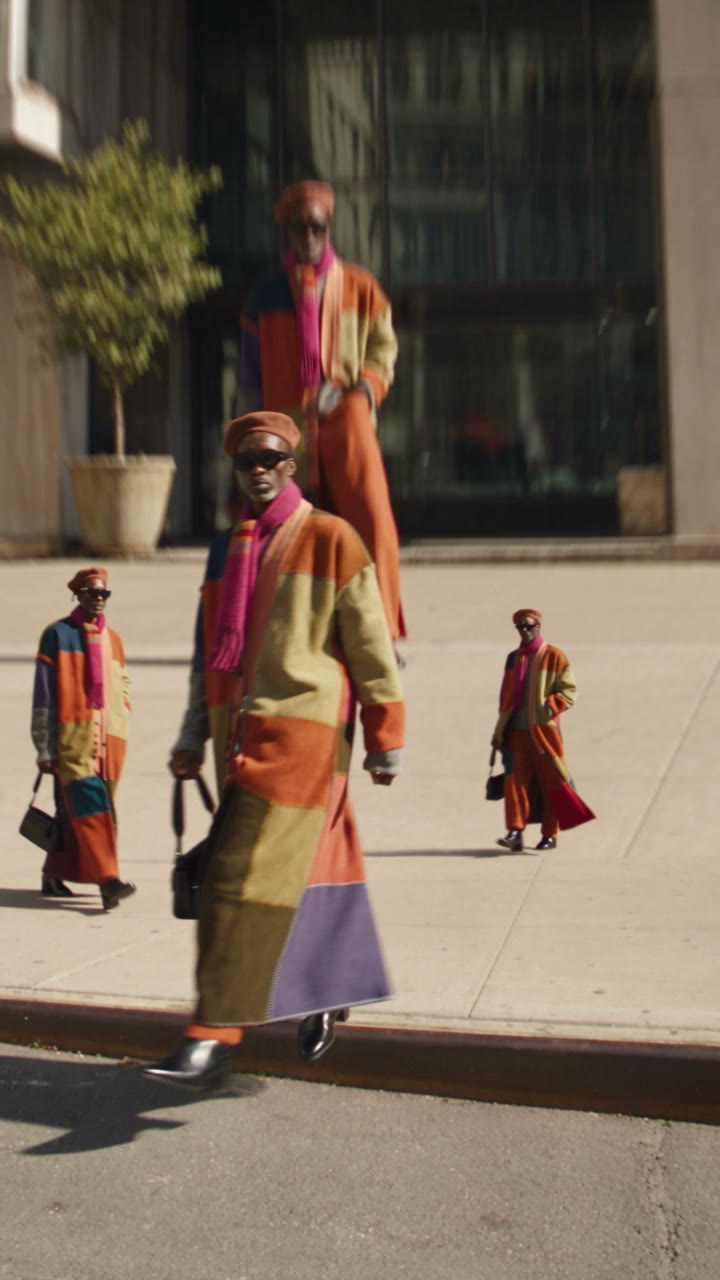
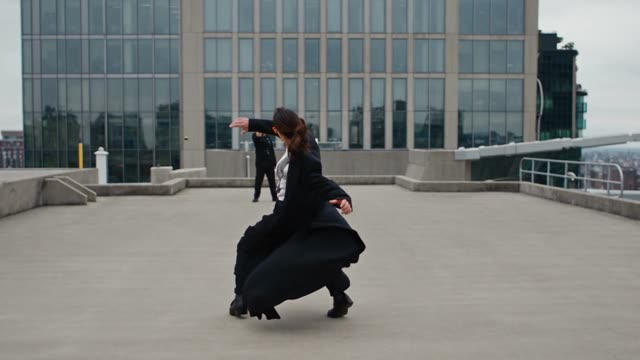
Any Tetra. Any Moment. — first frame
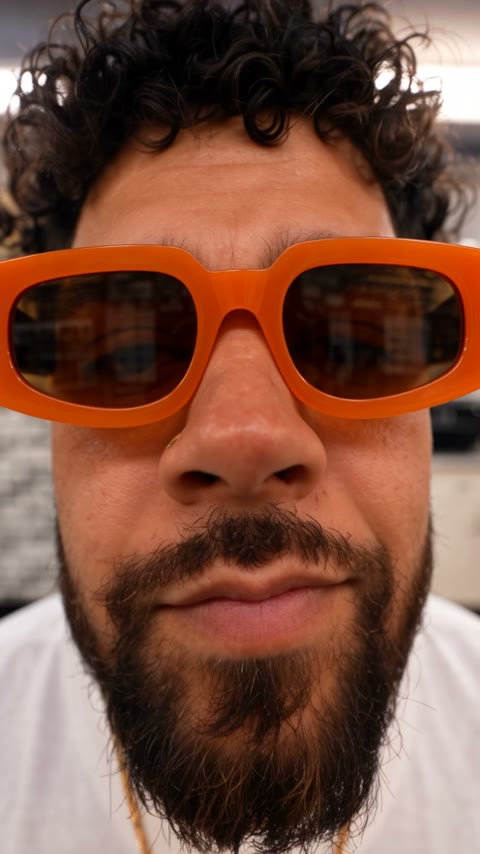
Fresh cut — first frame
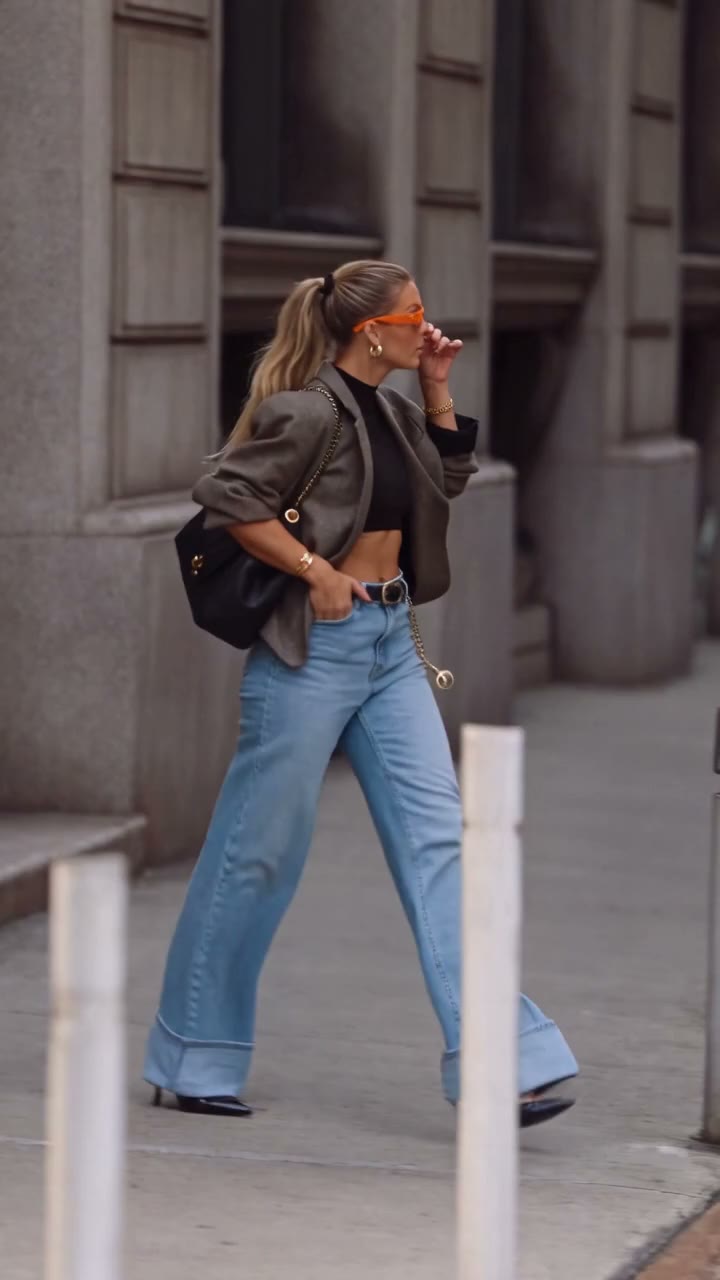
Tetra. Any moment. — first frame
in the feed · content
Use Case 04

Be the Campaign

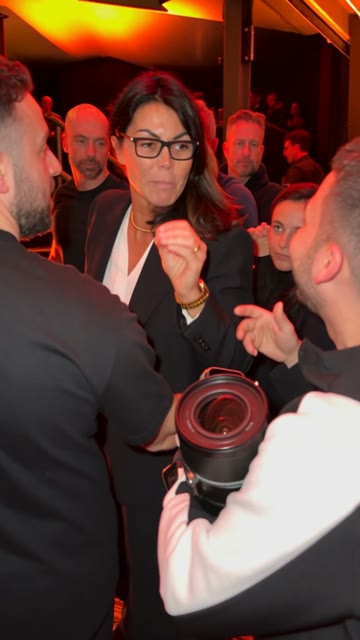
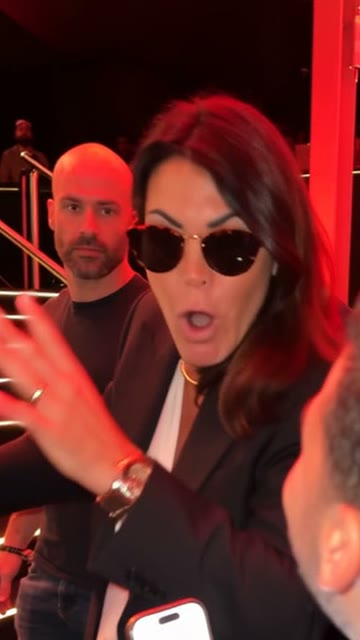
In the store, every visitor makes a video of themselves in RSF frames — shares it, tags RSF.
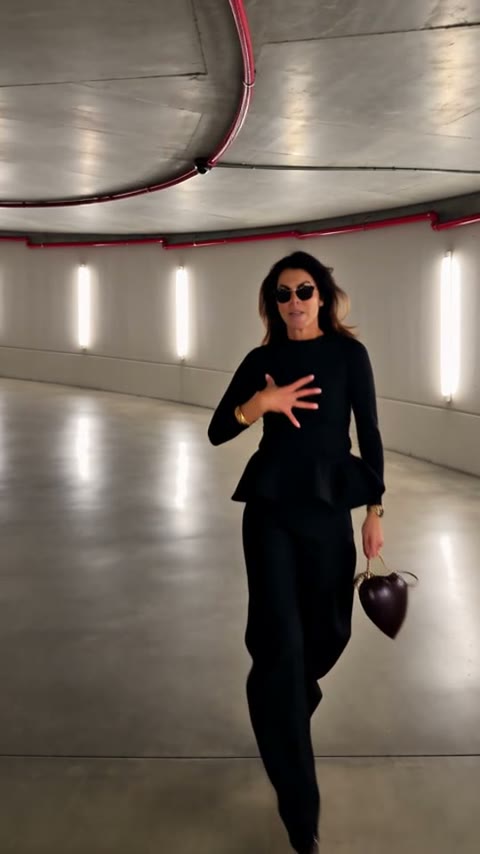
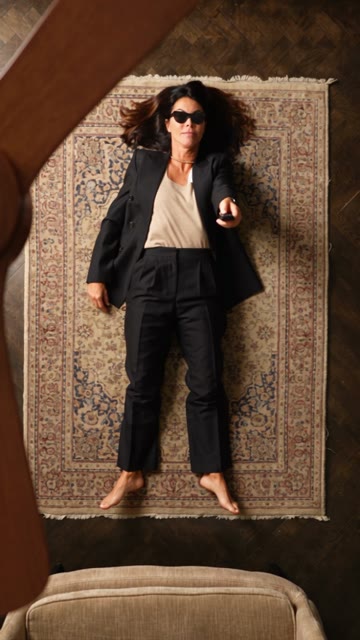
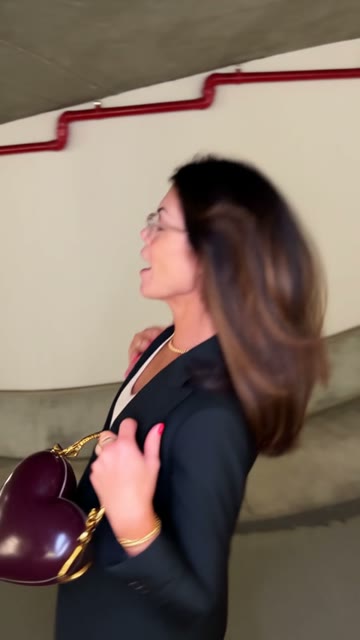
Arianna in the Panamá Classic Havana
Arianna in the Tuttolente Mona Black
Arianna in the Flat Top Optical Nebbia
in the store · reach
Same engine underneath: your frames, your customers, your platform — generated, not shot.
The goal · use cases 01 and 02

Make the shop window disruptive again — and take the routine off the one desk that answers everyone.

Use Case 01 · sales + Use Case 02 · operations = more sales, lower costs

One goal, two builds: sell more from the shop window, spend less answering the routine.

What we heard from Filippo

A new shop window. One desk answers everyone.

Use Case 01 · AI Immersive Try-On
Not an overlay — a render of you.
Fit, colour, scene, motion — from the packshots.
Use Case 02 · E2E AI Customer Service
From three people to one desk.
Opticians, distributors, shoppers still write there, every day.
« Sarebbe fighissimo avere un virtual try on un po' diverso… come quando vai a comprare una casa e ti fanno il render. »
“A try-on that’s different — like a house render.”
Filippo · our call · September 2026
« Prima di assumere un altro customer service, si può fare il piano di implementazione di un assistant AI. »
“Plan an AI assistant before hiring again.”
Filippo · the same call
This is my understanding — correct me where I’m wrong.
At a glance · what each build delivers

Two use cases. Two problems. One platform.

Use Case 01

AI Immersive Try-On

Camera, fit check, then yourself — every colourway, your outfit, your place, moving. Save, share, buy.
< 60 s
camera → moving look
3,900
frames, from your packshots
Removes “find a stockist” on 70% of variants
Use Case 02

E2E AI Customer Service

One assistant, three audiences, in your platform: routine resolved; your colleague approves only refunds, claims, documents.
70%
resolved without a person
3
audiences, one desk
Removes the wall of email before one person

Target outcomes · instrumented from day one · real numbers, not a guess

Use Case 01 · AI Immersive Try-On
01

From a webcam overlay to a picture of you.

Today
the usual overlay packshot on white find a stockist
with the try-on
Seven steps
camera fit colour background outfit place motion
Overlays show fit, not feeling; 70% of your variants end in “find a stockist”.
The shop window today · and where it goes

The frame sits on white — it belongs on you.

Today — the frame on white
Panamá Classic Havana — packshot
fit is a guess
colour is a gamble
70% → “find a stockist”
The shopper sees the object, not themselves.
With the try-on
Live camera — the shopper wearing the Panamá Classic Havana
camera
Same face, Panamá Black Ivory
colour
Same face and frame, Navigli, Milan
background
Same face and frame, a new outfit
outfit
LIVE · 5 s
motion
The shopper sees themselves, in their world — and a clip to share.
How it works · step through it

Seven steps, under a minute.

01
Open the camera
02
Check the fit
‹swipe›
03
Pick the colour
04
Change the background
05
Change the outfit
06
Choose the place
07
Bring it to life — save, share, buy
Step 1 / 7
Open the camera
One tap on the product page. The front camera opens in the browser — no app, no account, nothing stored until the shopper says so.
See it working · the tour runs itself, or click a step

The camera opens. Then you appear.

Live camera view — the shopper wearing the Panamá Classic Havana Same face, Panamá Black Ivory Same face and frame, Navigli, Milan Same face and frame, a new outfit Piazza del Duomo, golden hour
01 · Camera
AI-generated · your consent
Under the hood · camera
Front camera, in the browser. Nothing stored until the shopper says so.
Illustrative — a synthetic model from the Panamá packshots; in production, the shopper’s face.
At scale · every shopper, every step, at the same time

Not one shopper. All of them.

12looks in progress
1,284looks today
318shared
96add-to-cart
illustrative
in progress
done
log
Idea · not a promise
An idea to A/B test
At the last step: 15% off if you buy within 15 minutes — 1% less every minute.
15:0015% off
We’d test it together — offer, timing, who sees it.
Illustrative — four synthetic shoppers; in production, each card is a real person on the product page.
Why this works

Disrupt the eyewear shopping experience.

3,900
From your packshots
No 3D models — the whole catalogue, day one.
Identity preserved
Face and pose stay; frame, scene, outfit change.
RSF-curated scenes
Your creative team sets the palette.
A share engine
Every look: a page, a lead.
Disclosed & consented
AI-labelled, consent first, deleted on request.
Measured
starts→looks→shares→add-to-cart
BenchmarkA UK independent optician shipped a generative try-on and reports +20% frame sales. Peers (Lexxola, Akila, Chimi): no try-on.
Use Case 02 · E2E AI Customer Service
02

One desk, three customers — done, not drafted.

The problem
Three people became one. Shoppers, opticians and distributors still write to that desk — and every ticket is still opened by hand.
The idea
One assistant, three profiles, inside your platform. The routine resolved end-to-end; your colleague approves refunds, claims and documents.
Who writes, and what they ask

Same assistant. Three profiles. Three different answers.

Shoppers
online, in store
  • order tracking
  • customs duties
  • returns & exchanges
  • warranty claim, photos
  • spare parts
Routine resolved; refunds and claims need a person.
Opticians
1,335 doors, 22 countries
  • reorder ship date
  • backorders & ETAs
  • claim within 8 days
  • price list, images
  • display material
Backorders announced before they ask.
Distributors
by country, all brands
  • shipment status
  • customs: invoice, HS codes
  • CE documents
  • batch claims
  • stock & reorders
Document pack drafted; one click.
Knows who’s writing · replies in their language: IT · EN · FR · DE · ES · JA · KO · ZH
The overhead today · and where it goes

Three audiences, one inbox, one person.

Shoppers
Opticians
Distributors
…one inbox, one desk
Today — every ticket by hand
Three audiences
every language · every day · by hand
Your colleague
one desk
Even with drafts, every ticket is opened, checked, translated and sent by hand.
With the assistant
Three audiences
routine
Assistantresolves & follows through
decisions only
Your colleague
decides
The routine closes itself. Your colleague gets a decision — file already assembled.
How it works · step through it

From request to done — five steps.

01
A request arrives
02
Recognised — who, and what
03
Reads the right sources
04
Resolves or prepares
05
Your colleague decides
Step 1 / 5
A request arrives
Email, the site chat or the ticket queue — WhatsApp optional. Nothing changes for the customer: they write where they always wrote, in any language, at any hour.
See it working · click a request to switch

The customer asks. The assistant closes it.

support@retrosuperfuture.com · assistantreplies in the customer’s language · IT EN FR DE ES 日本語 한국어 中文
Request:
Illustrative examples — answers only from your orders, policies and templates; hands over when it should.
See it working · a live simulation

A queue of decisions, not a wall of email.

customer service · livesimulation · illustrative
Customers0 open
The assistant
98resolved by the assistant
28with your colleague
Your colleagueone click
Logeverything, timestamped
resolved by the assistantwith your colleagueopen
Illustrative — 70% resolved without a person; every case logged.
Why this works

Grounded in your records. A person decides.

A person keeps the last word
File ready, reply drafted.
refundsclaimsdocumentsone click
It read your rules
Warranty 24 months · returns 20 days · EUR 15 pro-forma.
Real records, read-only
Orders, tracking, shipments, stock.
Knows who’s asking
Shopper, optician, distributor.
Any language, any hour
IT · EN · FR · DE · ES · +3
Measured from day one
resolved without a personfirst replybacklog
BenchmarkA European eyewear e-tailer (B2C and wholesale) went from 25% to 75–79% resolved once its assistant read orders; industry median without that wiring: 45%.
Trust & data

Your data stays yours.

Shoppers & customers
faces · orders · money
consent first
The assistant
resolves the routine
read-only · one-click approval
Your platform
orders · shipments · stock
EU-hosted GDPR by design No training on your data Encrypted & scoped NDA first Deleted on request
One build touches faces, the other money — both are built to your rules.
The build plan · both use cases

Day 77: both live — the shop window disruptive again, the routine off the desk.

Workstream
W0W1W2W3W4W5W6W7W8W9W10W11
W0 · Sign NDA & SA — not counted
sign
UC1Frame prep & fit engine
frames → fit
UC1Scene studio
colour · background · outfit · place
UC1Motion & the look page
clip · look page · share
UC1UAT → live
sign-off → live
UC2Map & measure
read → numbers
UC2Shoppers, then trade
shoppers → approval screen → trade desk
UC2Shadow mode
proposes · approves
UC2UAT → live
live
Week 2 — hero frames & numbers Day 70 — customer service live Day 77 — try-on live Signed early October, live before year end — 2026 budget; run starts 2027.
Both dates assume the 10-system scope and no storefront rebuild — the two unknowns on the next slide can move them, and they shift week for week with the signature.
Use cases 03 and 04 · AI video

Two use cases, one engine.

Use Case 03

AI Content Factory

Films and social cuts for RSF’s channels — from your brief or our ideas, approved by you, in monthly packs.
Tetra Juice — first frame
Any Tetra. Any Moment. — first frame
Fresh cut — first frame
Tetra. Any moment. — first frame
4 example filmsmonthly packs · 10, 25 or 100
Use Case 04

Be the Campaign

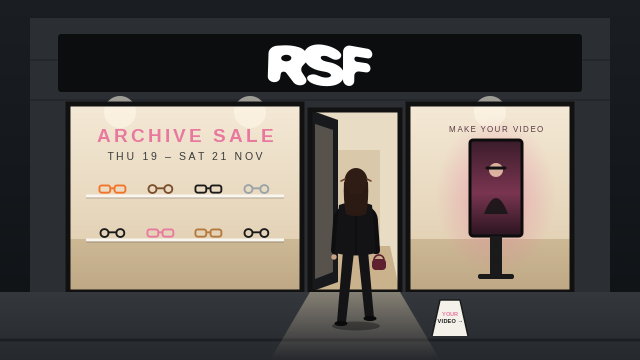
At the 19–21 November archive sale, every visitor can make a short video of themselves in RSF glasses — share it, tag RSF, and get a discount.
Arianna in the Panamá Classic Havana — Garage Runway Spin
Arianna in the Tuttolente Mona Black — Rug Transition
Arianna in the Numero 156 Nero Argento — Redlit Crowd Motion
Arianna in the Flat Top Optical Nebbia — Garage Runway Spin
in store · 19–21 Novup to 20 templatesshare + tag → discountstills from Arianna’s videos
Same engine underneath: your frames, a person, a scene — generated, not shot.
Before the details

We created some quick examples.

To move fast we picked one model — the Tetra Juice, from the Tetra collection — and generated four short films around the Tetra: three in the Juice, one across the collection.
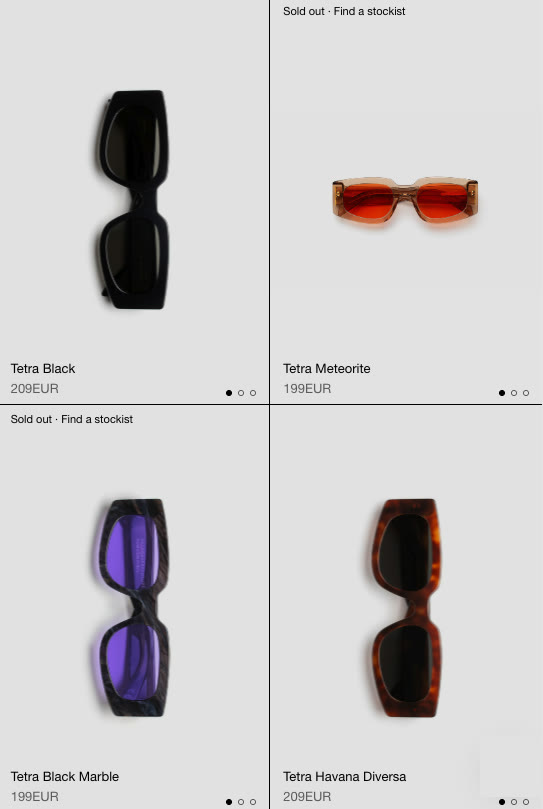
The Tetra collection
The Tetra collection on the RSF site: Tetra Black, Tetra Meteorite, Tetra Black Marble, Tetra Havana Diversa
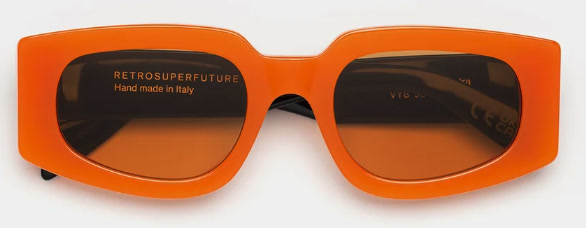
The model we picked
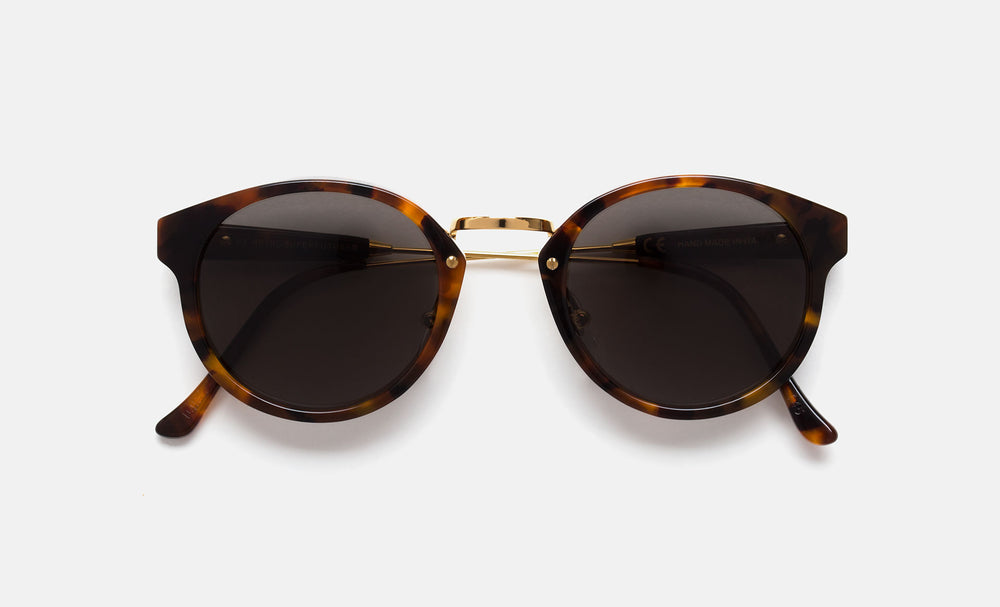
Tetra Juice — the orange Tetra, packshot
Tetra Juice
orange · in three of the four films
Four quick examples
Tetra Juice — first frame01 Tetra Juice
Any Tetra. Any Moment. — first frame02 Any Tetra. Any Moment.
Fresh cut — first frame03 Fresh cut
Tetra. Any moment. — first frame04 Tetra. Any moment.
The hero film, then the three social cuts — one per slide on the next four slides, sound on.
Example 01 · plays on arrival · sound on

Tetra Juice — a hero film, generated.

16:9 · 10 s
Example — generated, not shot. Click or tap the film to replay it.
Example 02 · plays on arrival · music on

Any Tetra. Any Moment. — a social cut, scored.

9:16 · 13 s
Made for the feed
Vertical, 13 seconds, one walk through the city — “Any Tetra. Any Moment.”, then the logo.
Scored for the cut
An original electronic track, written for this film: it starts with the first step, builds through the walk and lands on the logo.
Where it goes
ReelsTikTokStoriesretail screens
Example — generated, not shot. Click or tap the film to replay it.
Example 03 · plays on arrival · sound on

Fresh cut — from the barbershop.

9:16 · 7 s
A different register
A barbershop, your mark on the wall, the frame in close-up — the same Tetra, another world. Seven seconds.
One frame, many worlds
Rooftop, street, barbershop — the same Tetra, a series of cuts that can read as one campaign.
Made for a small screen
Vertical, the mark in shot, the frame filling the last second — a Story that needs no caption.
Example — generated, not shot. Click or tap the film to replay it.
Example 04 · plays on arrival · sound on

Tetra. Any moment. — a street cut.

9:16 · 5.5 s
Five and a half seconds is enough
One crossing, one stride, the Tetra — the shortest cut in the set, built for the feed.
The logo over the picture
The line and the mark sit on the film itself, mid-stride — Stories-style, no cut to black.
Short by design
Five and a half seconds is a full loop on Reels — the line and the mark carry it.
Example — generated, not shot. Click or tap the film to replay it.
How we work · two ways in

You brief us — or we bring the ideas.

Route A · your brief
RSF briefs, we execute.
Your team sends a detailed brief — the frame, the story, the mood, the formats, the branding. We generate the film to it.
detailed brief→concept agreed→we generate→RSF approves→delivered
Route B · our ideas
We propose, RSF approves, we execute.
We bring ideas of our own — concepts, moods, scripts for your frames. You pick and approve; then we make the film.
we propose ideas→RSF approves→we generate→RSF approves→delivered
Either way: nothing ships without your approval — and both routes can run in the same pack.
For every video · you always approve · step through it

How do we get started?

01
A brief — or an idea
02
Concept agreed
RSF
03
The first cut
04
Iterate — up to four times
RSF each round
05
Approved. Delivered.
RSF final
Iterations per video 1234 max approved
Step 1 / 5
A brief — or an idea
Route A: your brief arrives — frame, story, mood, formats, branding. Route B: we send ideas and you pick one. Either way, this is where a video starts.
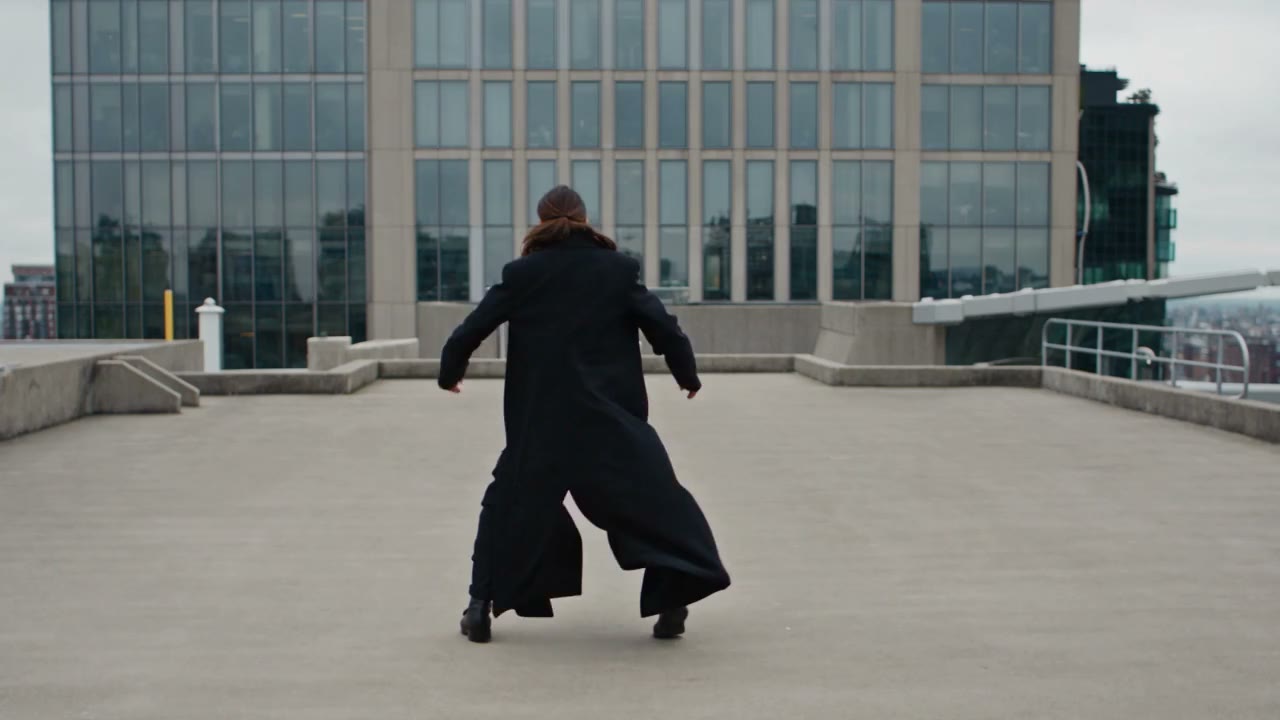
Example 01 · the ideaOur idea for the Tetra Juice film fit in one line: a rooftop, a dancer in a long black coat, the orange Tetra. No script, no shoot.
Next steps

Three steps to the first cut.

Step 01

Pick a pack

10, 25 or 100 videos a month — and the frames you want in motion first.

Step 02

First brief — or first ideas

Send a brief with the branding, or let us open with a few ideas for you to approve.

Step 03

First cut

Concept agreed, first cut, your notes, up to four iterations — then approved and delivered.

Use Case 04 · Be the Campaign
02

The archive sale, starring every visitor.

The event
A pre-Black Friday archive sale, 19–21 November, in store. On its own: discounted stock — a sale like any other.
Filippo’s aim
A bold, shareable test of a new retail experience: every visitor can leave with a short video of themselves in RSF glasses — made to be posted.
Thu
19
Nov
Fri
20
Nov
Sat
21
Nov
in store up to 20 templates share + tag → discount RSF → consumers, directly
The RSF store during the archive sale
00walk in
Panamá Classic Havana RSF frame
01frame selected
Arianna’s selfie
02selfie
Arianna wearing the Panamá Classic Havana
03Arianna · frame on
prebuilt
04video
Prebuilt set — Arianna stays in focus while four RSF frames pair with three selected templates.
How it works · step through it

From the door to the feed — six steps.

00
Walk in the store
19–21 Nov
01
Choose an RSF frame
02
Take a selfie
consent first
03
Pick a template
3 of 20 open
04
The video is generated
05
Share, tag, get the discount
@retrosuperfuture
Step 00 of 05
Walk in the store
At the archive sale, 19–21 November, a person-sized screen by the door plays the latest visitors’ videos. Arianna walks in.
The RSF store during the archive sale, the booth screen by the door, a visitor walking in00 · walk inThe RSF store during the archive sale — the booth screen sits right by the entrance.
on the store screen · then on her phone
Try it yourself · the visitor’s app, step by step

Step 1 — pick an RSF frame.

1RSF frame2Selfie3Template4Your video
Picked: Panamá Classic Havana — click another to change it.
Try it yourself · the visitor’s app, step by step

Step 2 — take a selfie.

1RSF frame2Selfie3Template4Your video
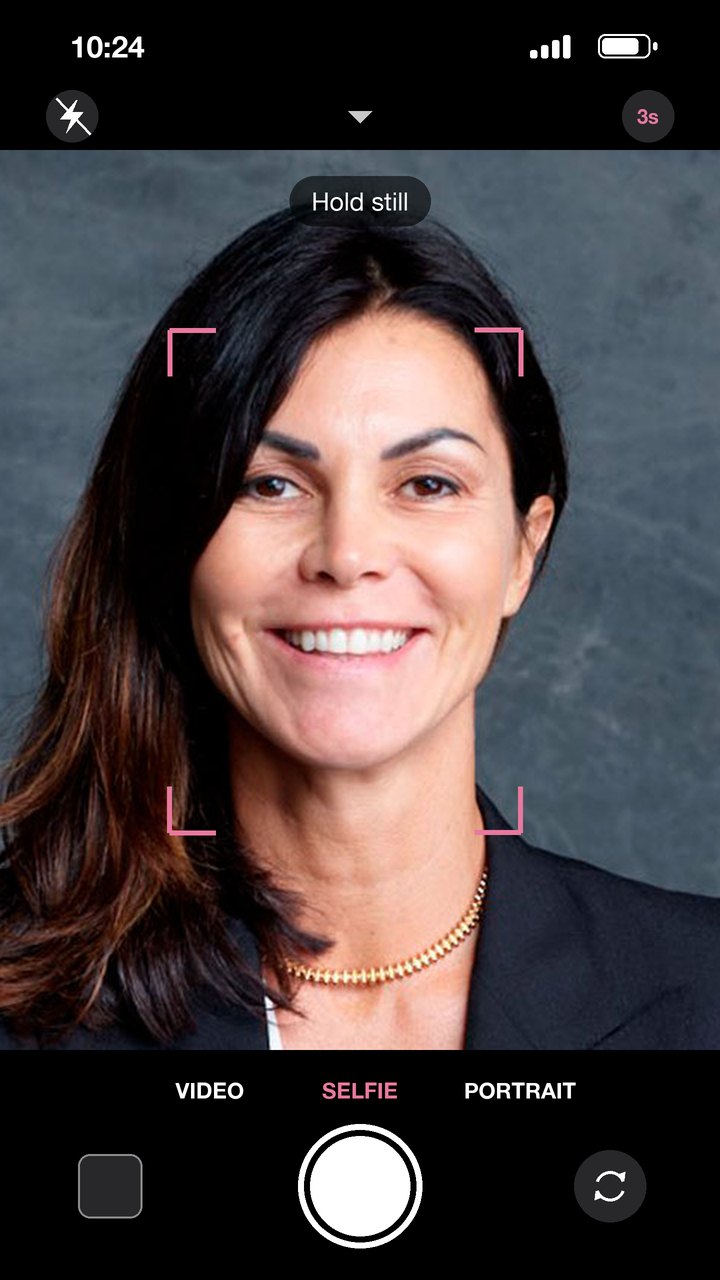
Arianna taking a selfie: the front camera with her face in the viewfinder
01Arianna takes a selfie
Arianna’s selfie
02Her selfie · no glasses needed
One photo of her face — the frame comes from step 1.
Try it yourself · the visitor’s app, step by step

Step 3 — pick your template.

1RSF frame2Selfie3Template4Your video
0.2-second template still · click to pickPicked: none yet
20 RSF eyewear scene templates — three sample templates are loaded.
Try it yourself · the visitor’s app, step by step

Step 4 — your video, in the store.

1RSF frame2Selfie3Template4Your video
Made in the store · the person-sized screen
making your video…AI-generated sample
Then shared · sent to her phone
AI-generated sample · illustrative
Panamá Classic Havana · Garage Runway SpinArianna’s selfie + RSF frame + template
Making your video…
Sample photo
Panamá Classic Havana · your framethe sample shows it too
Garage Runway Spin · template
Tag @retrosuperfuture → your archive-sale discount
Share to StoriesSave
Example output — made in the store, shown on the big screen, then sent to her phone.
Template 1 of 3 · Garage Runway Spin

Each AI video can run with different frames, depending on the customer’s choice.

Template 2 of 3 · Rug Transition

Each AI video can run with different frames, depending on the customer’s choice.

Template 3 of 3 · Redlit Crowd Motion

Each AI video can run with different frames, depending on the customer’s choice.

A new shopping experience · a question for the room

How might customers react?

Our customers starring in store with RSF frames on.

Use Case 04 · the return

A few hundred posts. Tens of thousands of friends seeing RSF.

The effect of every customer sharing
250customers post their video
400friends see each post
100,000times a friend is seen wearing RSF
Each dot = 100 views · illustrative — move the sliders
Visit the archive sale
Make a video of themselves
Post it, tag @retrosuperfuture
Discount earned
Their followers meet RSF
3 days
Thu 19 – Sat 21 Nov
How it helps sales
Every video is a try-on. Customers see themselves in a frame that’s on sale.
The tag turns into a sale. Posting earns the discount, spent in store.
Followers become new customers. Friends see RSF on someone they trust.
Retrosuperfuture × defil.ai

Thank you.

See yourself in RSF —
on the site, in the store, in the feed.

←→ navigate · space reveal